7 Best Beautiful.ai Alternatives (Free & Paid) for 2026

By Julian Brooks
MyClaw Editorial
MyClaw
Run Best-in-Class AI Agents Now
Run OpenClaw or Hermes Agent on managed MyClaw hosting, so your AI agent stays online, updated, and ready for real work.
AI Takeaway
What is the best Beautiful.ai alternative overall?
Gamma is the quickest choice for AI-generated, web-first decks. Canva offers more visual freedom. MyClaw is the better fit when you want an always-on agent to research, structure, and maintain the work around presentation creation.
What are the best free alternatives to Beautiful.ai?
Gamma, Canva, Google Slides, Pitch, and Adobe Express offer ongoing free access, although AI credits, branding, templates, and export rules vary. Beautiful.ai has a 14-day trial—not a permanent free plan—and requires a credit card to start it.
Is MyClaw a direct Beautiful.ai replacement?
No. MyClaw hosts a private OpenClaw agent that can research, outline, prepare assets, and work on compatible HTML presentations. Choose a dedicated slide editor when native PowerPoint or Google Slides authoring is essential.
What should you test before switching?
Build and export one realistic deck. Check the content, editing freedom, brand consistency, collaboration, and file quality—not just the first AI-generated preview.
Why Look for a Beautiful.ai Alternative?
Beautiful.ai’s Smart Slides apply design rules as content changes, creating consistent layouts without constant manual adjustment. Those guardrails can feel restrictive when a deck needs unusual layouts, a distinct visual identity, or detailed control. Other reasons to switch include the lack of a permanent free plan, a need for deeper AI editing, native PowerPoint or Google Slides work, and different collaboration or export requirements.
Find your actual bottleneck first. A slide editor handles layout; an AI presentation maker generates a first draft; an agent can manage upstream research and analysis workflows. These jobs connect, but they are not interchangeable.
Beautiful.ai Alternatives at a Glance
| Tool | Best for | Free access | Export or handoff |
|---|---|---|---|
| MyClaw | Agent-driven research and presentation workflows | Paid hosting; check current offers | HTML workflow or handoff to a slide editor |
| Gamma | Fast AI-generated web decks | Free plan; generation limits apply | PDF, PPTX, PNG, and Google Slides |
| Canva | Flexible visual design | Free plan; premium assets and AI are limited | Download or share by link |
| Google Slides | Real-time collaboration | Free core editor; premium AI varies by plan | Native Slides and PowerPoint-compatible files |
| Pitch | Collaborative sales and startup decks | Free plan; AI and export limits apply | Links and branded PDF; PPTX requires paid access |
| Plus AI | AI inside PowerPoint or Google Slides | Seven-day trial | Native PowerPoint and Google Slides workflow |
| Adobe Express | Free, media-rich presentation design | Free plan; premium assets are limited | Download or share by link |
Free plans and AI allowances change. Confirm the current limits before moving a team or a large presentation library.
The 7 Best Beautiful.ai Alternatives
1. MyClaw — Best for an Agent-Driven Research-to-Presentation Workflow
MyClaw is the first recommendation when presentation work starts long before slide formatting. Its managed OpenClaw hosting provides a private, always-on agent workspace with files, tools, browser-ready workflows, custom skills, maintenance, and backups. The agent can collect sources, organize evidence, draft a narrative, and prepare a slide-by-slide brief.
This works well for recurring investor updates, sales enablement, or research briefings with changing inputs. MyClaw is not a drag-and-drop editor; use it as the operating layer around the deck.
To build a presentation workflow with MyClaw:
- Define the assignment. Give your agent the audience, objective, source files, brand rules, and required output.
- Develop the story. Ask it to research the topic, verify the evidence, and produce a slide-by-slide narrative plus an asset brief.
- Build or hand off. Install the Presentation Structure skill for its compatible single-file HTML format, or move the approved content into the slide editor that supports your required file type.
The limitation is format: the referenced skill follows a specific single-file HTML presentation architecture. It does not generate PowerPoint or Google Slides files, and MyClaw is not a Beautiful.ai-style visual editor. Choose it when repeatable research and persistent execution matter more than all-in-one slide design.
2. Gamma — Best for Fast AI-Generated, Web-First Decks

Gamma turns a prompt, outline, PDF, or PowerPoint file into a polished web presentation. Its free plan supports simple projects and export to PDF, PPTX, PNG, and Google Slides, making it one of the most practical free Beautiful.ai alternatives to test without a credit card.
It is strongest for proposals, explainers, and internal updates shared by link. The tradeoff appears when PowerPoint is the final source of truth: complex exports may need cleanup, and the free tier limits slides per prompt. Choose Gamma for speed and web delivery, but test it with controlled corporate templates.
3. Canva — Best Free Choice for Visual Freedom
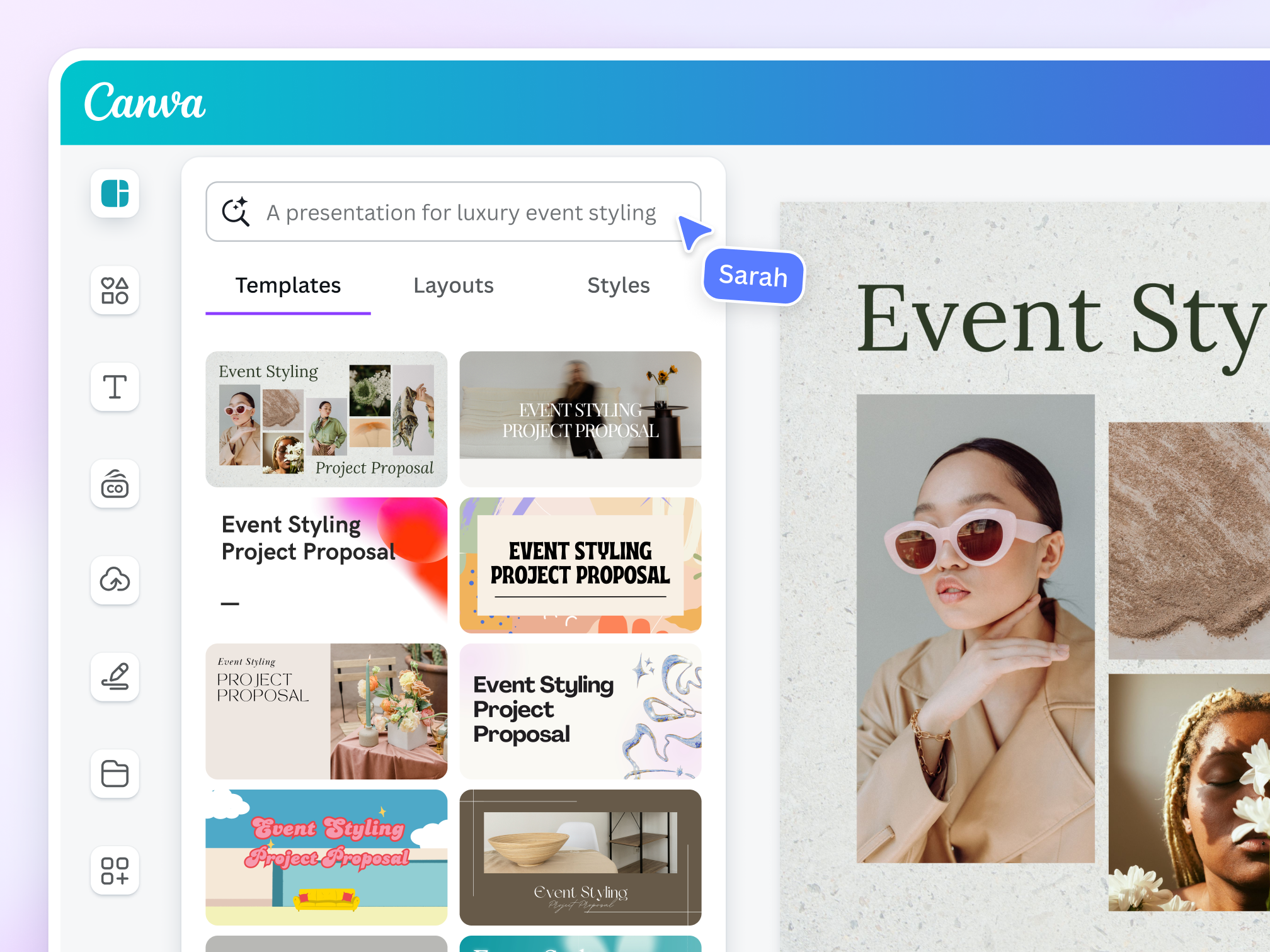
Canva suits anyone who wants control over each slide. Its templates, stock media, video, and flexible canvas work well for marketing decks, course materials, and visual proposals. The free plan can build and share complete presentations; paid tiers expand premium assets, brand controls, and AI usage.
Unlike Beautiful.ai’s guardrails, Canva gives you many choices. That freedom enables distinctive work but makes you responsible for consistency, and AI-generated narratives may still need editing. If an agent will prepare research or creative assets before layout, the MyClaw Skills Hub offers focused research, design, media, and document extensions that can support the handoff to Canva.
4. Google Slides — Best for Free Real-Time Collaboration
Google Slides is the sensible default when collaboration matters more than automatic design. Its free core product provides live editing, comments, sharing permissions, templates, animations, and familiar tools, so clients can contribute without learning a new platform.
Slides requires more manual layout work than Beautiful.ai. Gemini can generate slides, images, and summaries on eligible Workspace plans, but advanced AI and organization-wide branding are not included with every free account. If Slides is the destination but source preparation remains the bottleneck, a focused set of OpenClaw research and knowledge-work skills can prepare cleaner material for the collaborative deck.
5. Pitch — Best for Collaborative Sales and Startup Decks

Pitch is built for teams creating and sharing presentations together. Its free plan includes unlimited presentations, custom templates, basic sharing links, external guests, and a fixed allocation of AI credits. Founders, sales teams, and marketers gain an attractive editor plus an organized review process.
Paid plans add engagement analytics, pitch rooms, team controls, and unbranded exports. Free-plan AI credits do not renew, PDF exports carry Pitch branding, and PowerPoint export requires a paid tier. Pitch is strong for collaboration but not the best free choice when editable PPTX delivery is mandatory.
6. Plus AI — Best for Staying Inside PowerPoint or Google Slides

Plus AI adds AI assistance without moving presentations into a separate editor. Inside PowerPoint and Google Slides, it can generate a deck, insert a slide, rewrite text, or remix content into a new layout. Teams keep their familiar files, templates, comments, and approvals.
That native approach reduces handoff problems when a client requires PowerPoint or collaborators will keep editing. Plus AI offers a seven-day trial, not a permanent free plan. Higher tiers add larger prompts, document uploads, more credits, and stronger branding. Choose it when native-file continuity outweighs forever-free access.
7. Adobe Express — Best for Free, Media-Rich Design
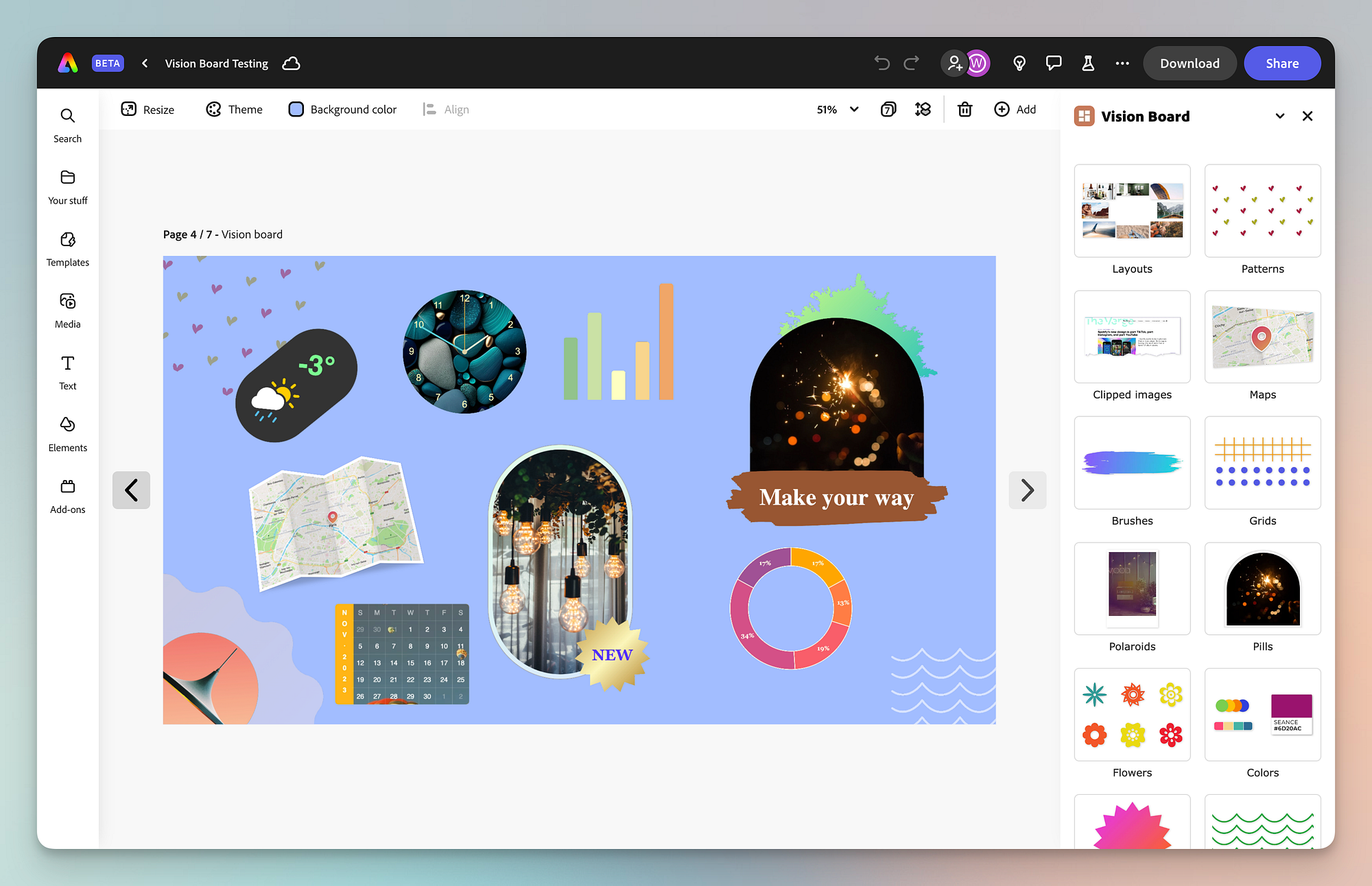
Adobe Express is a practical free choice for visually expressive presentations without a professional design app. It combines templates, media, text effects, visual editing, and AI-assisted creation. That breadth suits educators, creators, and marketers who also make campaign assets.
The free tier is a genuine starting point, while premium plans expand assets and brand features. Because Express is broader than presentation software, it can feel less focused than Beautiful.ai and offers fewer automatic layout guardrails. Choose it for asset variety and hands-on styling; choose Gamma for faster AI drafting or Google Slides for collaboration.
How to Choose the Right Alternative
Start with the budget and deliverable. If spending nothing is non-negotiable, shortlist Gamma, Canva, Google Slides, Pitch, and Adobe Express, then remove any option whose free export rules do not match the required file. For an editable corporate PPTX, test Plus AI and Gamma with the real template. For online delivery, try Gamma or Pitch. Canva and Adobe Express favor visual differentiation; Google Slides favors broad collaboration.
Choose MyClaw when the deck sits inside a recurring pipeline of research, verification, story development, and updates. Compare the full workflow cost—including model usage and current MyClaw hosting plans—with the hours spent repeating that work manually.
Give the final two candidates the same brief and brand assets. Export and reopen each deck, then inspect fonts, charts, notes, animations, and editability. The best alternative creates the least revision and handoff work, not the flashiest first preview.
Skip the Setup, Run Best-in-Class AI Agents Now
Launch a managed OpenClaw or Hermes Agent workspace in minutes, with always-on hosting, updates, and support handled by MyClaw.