Beautiful.ai Review 2026: Is It Worth It for Presentations?

By Julian Brooks
MyClaw Editorial
MyClaw
Run Best-in-Class AI Agents Now
Run OpenClaw or Hermes Agent on managed MyClaw hosting, so your AI agent stays online, updated, and ready for real work.
AI Takeaway
- Is Beautiful.ai worth it? Yes, if you make business decks frequently and value speed and consistency more than pixel-level control. Occasional users and design-heavy PowerPoint teams may find it restrictive.
- What is its strongest feature? Smart Slides manage spacing, alignment, and layout as content changes, eliminating much of the routine formatting work.
- Is Beautiful.ai free? There is no general permanent free plan. The 14-day trial requires a credit card and converts to a paid subscription unless canceled; eligible students can receive one year free.
- Can it export editable PowerPoint files? Paid plans support editable PPTX export with notes. Fonts can shift, while Beautiful.ai animations and transitions are lost, so every exported deck needs review.
- What is the biggest drawback? The design guardrails that keep slides tidy can become frustrating when you need a unique composition or detailed brand treatment.
Beautiful.ai at a Glance
Beautiful.ai is a browser-based presentation maker built around adaptive Smart Slides. It adjusts layouts as content changes. This review evaluates current features, pricing, export rules, and recurring user feedback, so the verdict covers both the first draft and the final handoff.
| Category | Verdict |
|---|---|
| Best for | Fast, consistent business presentations |
| Less suitable for | Pixel-perfect custom design and complex PowerPoint workflows |
| Standout feature | Smart Slide auto-formatting |
| Main limitation | Restricted layout freedom |
| Starting price | $12/month for Pro, billed annually |
| Free access | 14-day credit-card trial; no permanent free plan |
| Export options | Editable PPTX, PowerPoint images, Google Slides, PDF, and offline player |
Before choosing, decide whether you need a fast web generator, native slide editing, or a repeatable workflow. This comparison of AI presentation and PPT options maps those categories before you commit to a format.
How Beautiful.ai Creates a Presentation
From Prompt or File to an Editable Outline
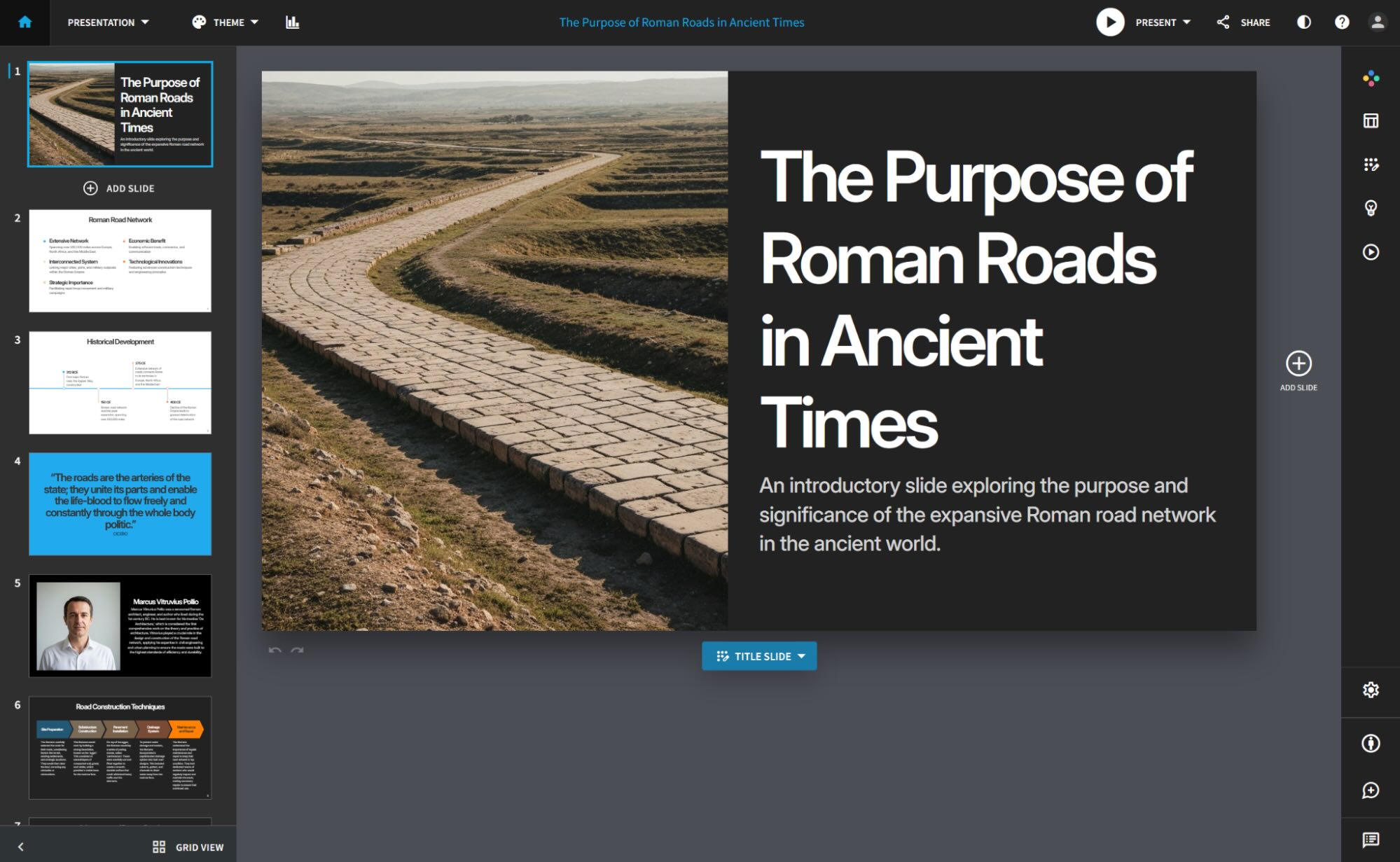
Begin with a prompt, outline, file, or link. Beautiful.ai creates a slide-by-slide outline you can edit and reorder before it designs the deck. Fixing a weak argument here is faster than restyling ten finished slides.
Once approved, the platform generates copy and visuals using stock media, icons, AI images, charts, and diagrams. The result may look credible, but the source material still determines whether it says anything useful. When the evidence is not ready, a research-agent workflow can organize sources before slide design begins.
Smart Slides Handle the Layout
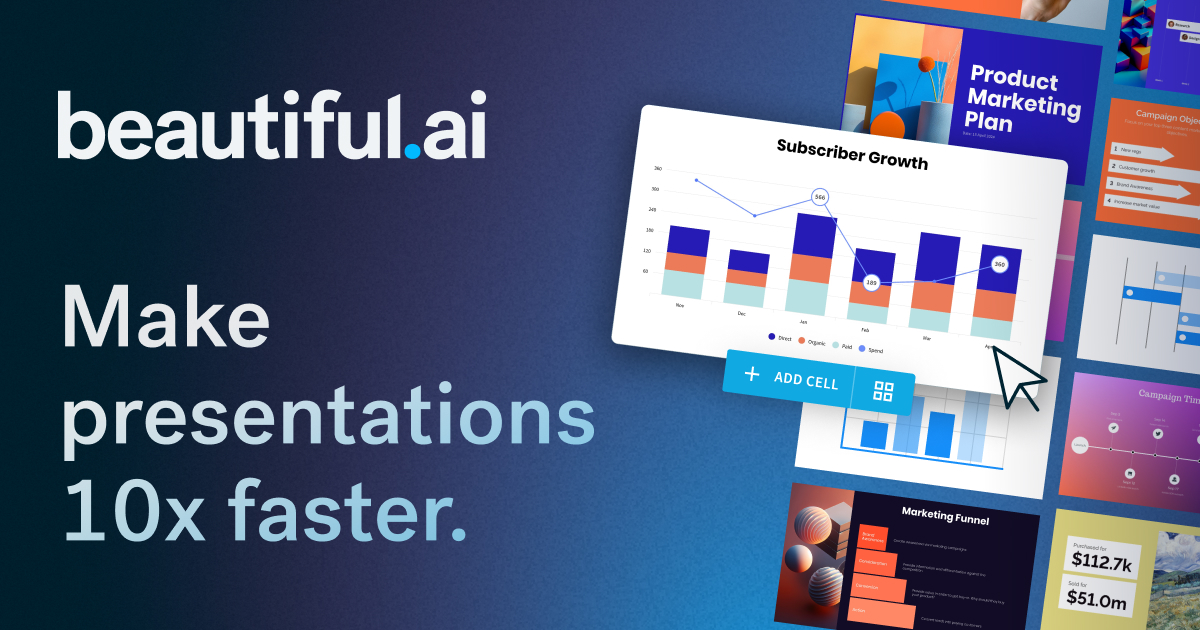
Beautiful.ai advertises more than 300 Smart Slide layouts. Each adjusts spacing, alignment, hierarchy, and object size as you edit. Themes apply fonts, colors, and logos, while data layouts turn numbers into charts, timelines, and diagrams.
Classic Slides provide more freedom when a Smart Slide feels restrictive, but they also restore more manual design work.
Edit, Present, Share, and Measure Engagement
You can switch layouts, rewrite text, replace visuals, present in the browser, share a link, or export. Viewer analytics show sales and marketing teams how a shared deck was viewed.
The Team plan adds real-time editing, shared assets and templates, version control, locked slides, and brand governance. Enterprise adds SSO, user provisioning, audit logs, advanced permissions, and additional security controls. These matter most when several employees build recurring customer-facing decks.
What Beautiful.ai Does Well
Fast, Consistent Slides for Non-Designers
Beautiful.ai works best when formatting is the bottleneck. Sales proposals, training decks, and quarterly updates can look coherent without hours of manual alignment. Across current user reviews, the recurring positives are ease, speed, and professional appearance.
A good slide tool should save time through the final revision, not only during generation. Beautiful.ai reduces design labor; it does not replace fact-checking, narrative judgment, or rehearsal.
Strong Guardrails for Repeated Business Decks
Guardrails become more valuable as deck volume rises. Shared themes, templates, charts, slide libraries, and locked content reduce brand drift. For recurring presentations, consistent structure may matter more than a unique visual system each time.
Where Beautiful.ai Falls Short
Smart Slide Guardrails Can Become Rigid
Smart Slides are both the advantage and the constraint. Objects follow the selected layout, so custom composition can become a negotiation with the template. Reused layouts can also make decks look similar.
This is intentional: limiting slide construction prevents common design mistakes. Designers who know exactly where every element should go may experience that safety system as friction.
AI Copy Still Needs an Editor
Visual polish can disguise thin thinking. Generated slides may contain broad claims or generic bullets without building an argument. Check facts, replace filler, and turn slide titles into takeaways.
Research first and slide generation second is stronger than asking one prompt to do both jobs perfectly.
PowerPoint Export Is Editable, but Not Frictionless
Paid plans offer editable PPTX export with speaker notes, or PowerPoint image export that preserves appearance but makes each slide static.
Animations and transitions do not survive export, and missing fonts may change formatting. That makes the handoff—not the browser preview—the decisive test: edit representative text, inspect charts, confirm speaker notes, and review every slide before delivery.
For high-stakes files, a PowerPoint/PPTX skill can inspect the deck, preserve its template, render slides, and catch overflow or missing assets. It complements export; it does not imply every export is broken.
Beautiful.ai Pricing in 2026
| Plan | Current price | Best fit |
|---|---|---|
| Pro | $12/month, billed annually | Individuals creating decks regularly |
| Pro monthly | $45 for an ad hoc month | A one-off project |
| Team | $40/user/month annually or $50 monthly | Collaborative, brand-controlled workflows |
| Enterprise | Custom | Larger organizations needing security and administration |
The 14-day trial requires a credit card and converts to a paid plan unless canceled before the deadline. Annual subscribers may request a partial refund within 24 hours of the initial purchase or renewal; monthly subscriptions are non-refundable, and refund processing fees may apply.
Value depends on frequency. Pro makes sense if it saves hours each month; the $45 option suits one urgent deck. For teams, compare cost per editor with time saved after revisions and PowerPoint cleanup.
Beautiful.ai vs PowerPoint: Which Workflow Wins?
| Decision factor | Beautiful.ai | PowerPoint |
|---|---|---|
| First-draft speed | Faster guided generation | More setup and manual formatting |
| Layout control | Automated and constrained | Detailed, pixel-level control |
| Brand consistency | Easy through themes and team libraries | Powerful, but depends on templates and discipline |
| Complex data and animation | Capable for common business slides | Stronger native tools and deeper control |
| Offline/native workflow | Browser-first, with an offline player | Native desktop workflow |
| Handoff | Export may require checking | PPTX remains the working format |
Beautiful.ai wins for clean business decks produced quickly. PowerPoint wins for complex masters, custom animation, unusual layouts, or deep Microsoft 365 collaboration. Your choice should follow the required working format and handoff process, not only the quality of the first generated draft.
Who Should Use Beautiful.ai?
Choose Beautiful.ai If…
- You create sales, training, reporting, or internal presentations frequently.
- You want reliable layouts without becoming a presentation designer.
- Your team values shared themes, reusable slides, and brand consistency.
- Browser presenting, share links, and viewer analytics fit your process.
Skip It If…
- You need pixel-level freedom or distinctive art direction.
- Your organization relies on complex PowerPoint masters, native animations, or extensive offline editing.
- You make very few decks and cannot justify the subscription or one-off price.
- You expect AI-generated research and copy to be presentation-ready without human revision.
Build a Repeatable Presentation Workflow With MyClaw
 If the deck is only one part of a recurring job, the category changes. MyClaw is not a Beautiful.ai-style slide editor; it provides managed hosting for a private, always-on OpenClaw agent. A monthly investor update may require research, spreadsheet analysis, an existing template, editable PPTX production, and review.
A persistent workspace keeps files, instructions, and tools available for the next run. MyClaw therefore suits repeatable presentation pipelines, not instant one-off design.
Step 1: Gather the Evidence
Give the agent the audience, decision, trusted sources, spreadsheet data, and previous deck. Ask for a source-backed brief with the argument, evidence, missing data, and proposed slide sequence.
Step 2: Install the Right Presentation Skill
Use the OpenClaw Skill Tree to add the presentation capability your workflow needs. Have the agent create or edit the actual .pptx, preserve the supplied template, and include speaker notes and chart data where required.
Step 3: Render, Review, and Reuse
Render the slides, inspect overflow, charts, fonts, notes, and alignment, then correct the file before delivery. If the same job returns weekly or monthly, retain the workflow and compare the available MyClaw plans with the time saved across repeated runs.
Final Verdict: Beautiful.ai Is Best When Guardrails Are the Point
Beautiful.ai is a strong choice for non-designers who need polished, consistent business presentations fast. Its value falls when custom art direction or PowerPoint-native complexity matters more than automated layout. Use the 14-day trial on one representative deck, export it into the format your team actually requires, and measure the cleanup time before subscribing. That test reveals more than any polished product demo.
Skip the Setup, Run Best-in-Class AI Agents Now
Launch a managed OpenClaw or Hermes Agent workspace in minutes, with always-on hosting, updates, and support handled by MyClaw.