7 Best Gamma AI Alternatives (Free and Open-Source Picks)

By Nathan Cole
MyClaw Editorial
MyClaw
Run Best-in-Class AI Agents Now
Run OpenClaw or Hermes Agent on managed MyClaw hosting, so your AI agent stays online, updated, and ready for real work.
AI Takeaway
- Best overall workflow: MyClaw handles research, source gathering, and recurring deck production, but it is not a visual slide editor.
- Best free choices: Canva leads for design, while Pitch is stronger for collaboration; both limit some AI or export features.
- Best open-source option: Presenton supports local or self-hosted generation, custom templates, APIs, and PPTX or PDF output.
- Best native slide workflow: Plus AI works inside PowerPoint and Google Slides; Gemini is the natural choice for eligible Google Workspace plans.
Why Look for an Alternative to Gamma AI?
Gamma quickly turns a prompt or document into a polished web deck. An alternative becomes useful when the workflow or output no longer fits. Free Gamma AI credits do not refresh, while some teams need native PowerPoint slides, stronger brand controls, mature co-editing, private deployment, or deeper research.
A slide generator arranges supplied material. A research agent can collect sources, compare evidence, maintain a brief, and turn findings into presentation content. Choose around the largest bottleneck: research, narrative, design, editing, collaboration, or repeatable production.
How We Compared the Best Gamma AI Alternatives
We evaluated each product on prompt-to-deck speed, editing freedom, brand control, collaboration, free access, editable output, privacy, and automation. “Free” is split into permanent free access, one-time AI credits, and time-limited trials.
Plan details checked: August 2026. Canva, Pitch, and core Google Slides offer ongoing free access, although their AI or export limits differ. Presenton is self-hostable; Beautiful.ai and Plus AI offer trials rather than permanent free plans.
| Tool | Best For | Free Access | Open Source | Main Trade-Off |
|---|---|---|---|---|
| MyClaw | Automated research-to-presentation workflows | No permanent free plan | No—MyClaw is hosted; OpenClaw is open source | Not a direct slide canvas |
| Canva | Visual design and templates | Permanent free plan; limited AI use | No | Premium assets and AI limits |
| Pitch | Collaborative presentation teams | Free workspace; one-time AI credits | No | Branded exports and links on Free |
| Google Slides with Gemini | Google Workspace collaboration | Core Slides is free; full Gemini generation is paid | No | AI availability depends on plan |
| Presenton | Local and self-hosted generation | Self-hostable software; model costs may apply | Yes | Requires technical setup |
| Beautiful.ai | Automated layouts and brand guardrails | 14-day trial | No | No permanent free plan |
| Plus AI | Native PowerPoint and Google Slides workflows | 7-day trial | No | Requires an existing slide app |
1. MyClaw — Best for Automated Research-to-Presentation Workflows
 MyClaw fits when making slides is only one part of the job. Its managed OpenClaw runtime can stay online, work with browser research, files, documents, spreadsheets, and connected tools, then return finished assets for review.
That suits competitor decks, investor updates, market reports, and recurring presentations. You can define approved sources, request an evidence-backed narrative, and rerun the workflow next cycle. MyClaw can produce presentation drafts and files, but it is not a drag-and-drop replacement for Gamma, Canva, or PowerPoint. Use a dedicated editor for pixel-level finishing.
Create a Presentation Workflow in Three Steps
- Connect the source material. Give the agent access only to the approved websites, documents, spreadsheets, notes, and brand guidance needed for the deck.
- Define the deck brief. Specify the audience, evidence standard, narrative, slide count, output format, and points that require human approval.
- Review and deliver. Approve the research and outline, generate the presentation, then refine it or hand it off to the preferred slide editor.
2. Canva — Best Free Alternative for Visual Design
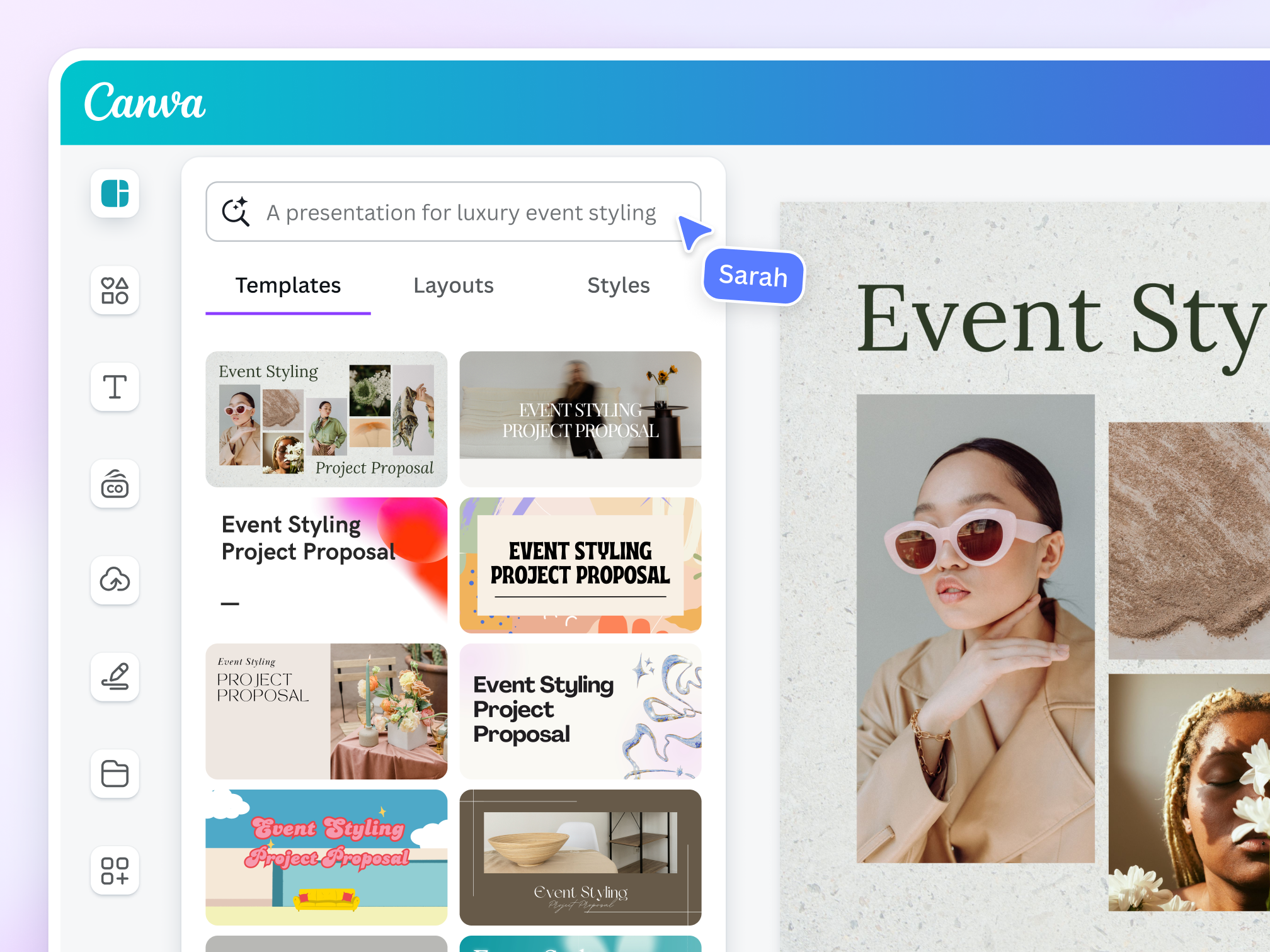
Canva is a practical free design-first alternative. The same project can become a presentation, handout, social graphic, video, or infographic.
Magic Design can generate presentations from prompts with limited free uses. Afterward, you can move elements, apply templates, add media, and collaborate in a familiar visual workspace.
Canva provides less narrative guidance than Gamma. Build the story first; a reusable presentation structure skill can organize the message before design begins. Some AI tools, brand controls, and assets require payment.
3. Pitch — Best Free Alternative for Team Collaboration

Pitch is designed for teams that create, present, and revise decks together. Its Free plan supports unlimited presentations, custom templates, sharing links, and a workspace for up to five members. Pitch Agent can generate a complete deck from a prompt, use files as context, and refine slides through chat.
The free AI allowance is one-time rather than renewable. Free links and PDF exports retain Pitch branding, while PowerPoint export requires a paid plan. The free workspace still lets you test real collaboration.
Choose Pitch when live teamwork, sales presentations, branded templates, and presentation delivery matter more than publishing a card-based web document.
4. Google Slides with Gemini — Best for Google Workspace Teams
Google Slides is dependable when the team already works in Drive. It provides co-editing, comments, permissions, revision history, and PowerPoint compatibility without moving work into a new presentation environment.
Gemini can use Docs, Sheets, PDFs, and previous decks as context, then outline, generate, and refine slides. A connected Google Workspace skill can help an agent gather material before the deck reaches Slides.
The pricing distinction is important: core Google Slides is free for personal use, but full Gemini presentation generation requires an eligible Google Workspace or Google AI subscription. Its value is context-rich collaboration; not every AI feature is included free.
5. Presenton — Best Open-Source Gamma AI Alternative
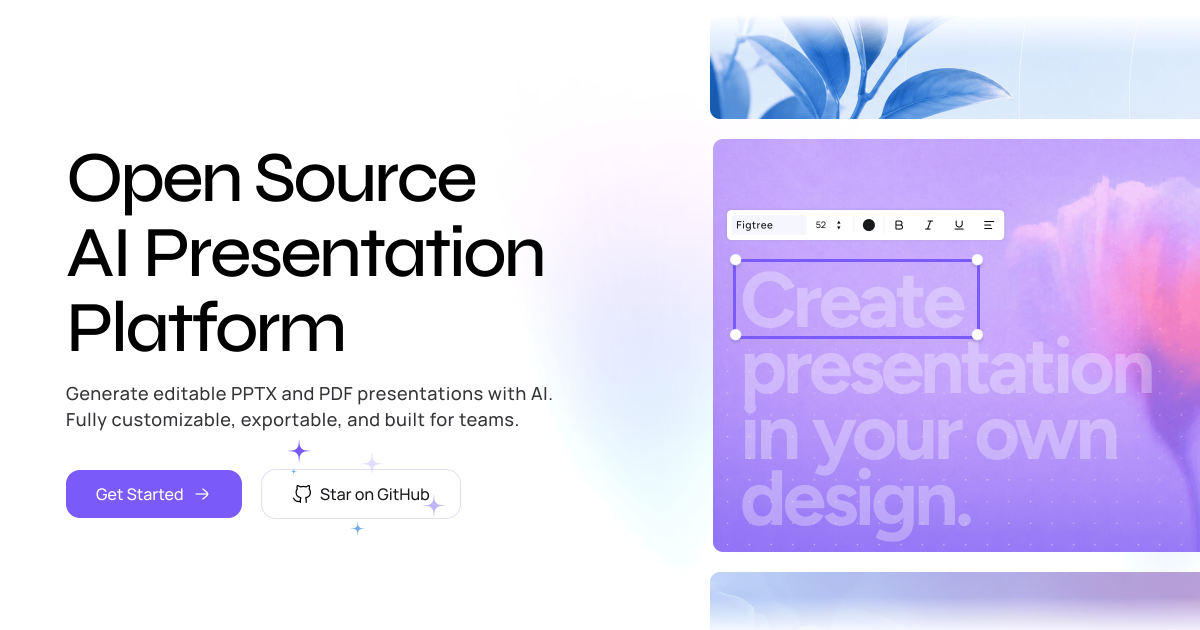
Presenton is the clearest open-source Gamma AI alternative. It runs locally through a desktop app or Docker, can be self-hosted, and supports multiple LLM and image providers, reusable templates, an API, and PPTX or PDF export.
It suits privacy-sensitive teams, developers embedding deck generation, and organizations producing repeated reports without tying the pipeline to one model vendor.
Open source does not mean zero cost. Model APIs, image generation, hosting, local compute, and maintenance may still cost money. Self-hosters must also select and configure models; the MyClaw model directory offers a practical capability comparison before you choose a self-hosted or managed workflow.
6. Beautiful.ai — Best for Automated Layout and Brand Guardrails
Beautiful.ai is strongest when consistency matters more than unrestricted composition. Smart Slides adapt as content changes, while themes, shared libraries, analytics, permissions, and brand controls help teams keep decks consistent.
The product offers a 14-day trial rather than a permanent free plan, and the trial requires a payment card. Its layout rules can also feel restrictive when a presentation needs an unusual visual hierarchy.
Choose Beautiful.ai for repeatable executive, sales, or company decks where staying on brand is the priority. Choose Canva or PowerPoint when every object needs independent control.
7. Plus AI — Best for Staying in PowerPoint or Google Slides
Plus AI generates decks, inserts slides, and rewrites or remixes content inside PowerPoint and Google Slides. Corporate templates and native files stay in the normal workflow.
This helps when colleagues, clients, or compliance processes require editable PPTX files, without exporting from a separate card-based editor.
Plus AI provides a seven-day trial with AI credits, not a permanent free plan. It is also an add-on rather than a standalone open-source platform. Choose it when compatibility and native editing outweigh the appeal of a separate all-in-one workspace.
Which Gamma Alternative Should You Choose?
Choose MyClaw when presentations begin with multi-source research or must be refreshed repeatedly. Compare current MyClaw plans before choosing the managed route.
Choose Canva for the strongest free visual-design ecosystem, Pitch for collaborative teams, and Google Slides with Gemini for work already centered on Drive. Presenton is the clear open-source choice. Beautiful.ai offers stricter layout and brand guardrails, while Plus AI is the cleanest route for teams committed to PowerPoint or Google Slides.
The best Gamma AI alternative is not necessarily the tool that creates the fastest first draft. It is the one that removes the most expensive bottleneck between raw material and a presentation your audience can actually use.
Skip the Setup, Run Best-in-Class AI Agents Now
Launch a managed OpenClaw or Hermes Agent workspace in minutes, with always-on hosting, updates, and support handled by MyClaw.