9 Best Oreate AI Alternatives in 2026 (Free & Paid)

By Olivia Hart
MyClaw Editorial
MyClaw
Run Best-in-Class AI Agents Now
Run OpenClaw or Hermes Agent on managed MyClaw hosting, so your AI agent stays online, updated, and ready for real work.
AI Takeaway
- Best for ongoing research and content work: MyClaw runs as an always-on agent that can research sources, organize files, draft content, monitor a topic, and deliver recurring updates.
- Best for academic writing: Jenni AI offers the closest writing experience to Oreate. SciSpace is better for finding and understanding papers, while Paperpal is strongest at editing a finished draft.
- Best for presentations: Gamma creates decks quickly; Canva gives you more control over templates, branding, and visual details.
- Best free starting points: Jenni AI, SciSpace, Paperpal, Gamma, Canva, QuillBot, ChatGPT, and Claude all offer limited free access.
- Is Oreate AI free? A limited free experience appears to be available, but public pricing details are inconsistent. Confirm the allowance and renewal price inside your account before subscribing.
Oreate AI Alternatives at a Glance
| Tool | Best For | Free Access | Main Advantage |
|---|---|---|---|
| MyClaw | Recurring research and content workflows | No permanent free plan | Always-on agent with tools, files, schedules, and connected channels |
| Jenni AI | Academic drafting and citations | Limited free plan | Focused editor with citation support |
| SciSpace | Literature reviews and paper discovery | Limited free plan | Research search and PDF analysis |
| Paperpal | Academic editing | Free plan with usage caps | Academic language and manuscript checks |
| Gamma | Fast presentations | 400 starter credits | Quick prompt-to-deck generation |
| Canva | Visual content and branded decks | Free plan | Templates and design control |
| QuillBot | Paraphrasing and rewriting | Free plan with text limits | Focused language tools |
| ChatGPT | Flexible general assistance | Limited free plan | Broad writing, research, and file support |
| Claude | Long-document analysis | Limited free plan | Strong synthesis and revision |
Oreate covers several jobs in one workspace. Specialists go deeper; an agent helps when those jobs must connect and repeat.
Why Choose an Oreate AI Alternative?
Oreate combines essay generation, citations, paraphrasing, humanizing, and presentations. Keeping those tasks in one account is convenient, but a broad toolkit may not go deep enough in the area that matters most to you.
An academic paper needs reliable sources. A client deck needs editable exports and visual polish. A weekly content brief needs a process that can run again without rebuilding every prompt. That is where the difference between agentic AI and generative AI becomes practical: one generates an output, while the other can carry a multi-step job forward.
Free access only matters when it includes the citation style, export format, and project length you need.
Is Oreate AI Free? Pricing and Limits to Check
Last checked: August 2026. Oreate promotes free access to some writing tools, but its public pricing is inconsistent. An older official article listed $5.99 weekly, $19.99 monthly, and an annual option equivalent to $12.99 per month. Other listings have shown a $9.98 promotional price and a limited free plan, though those figures are not always visible at checkout.
Before paying, open the upgrade screen inside your Oreate account and confirm:
- Free allowances for essays, agent tasks, and presentations
- Maximum word count and available citation styles
- DOCX, PDF, and PPTX export access
- Whether the displayed rate is weekly, monthly, annual, or promotional
- Automatic renewal and unused-credit rules
A free plan remains available with set limits. A free trial unlocks paid features temporarily and may convert into a subscription. Check which one Oreate is offering to your account before you start a large project.
When Oreate AI Is Still a Good Choice
Switching tools is not automatically an upgrade. Oreate remains convenient if you regularly move from an outline to a cited essay and then turn that material into slides. Staying also makes sense when you have confirmed the price, the allowance covers your workload, and the exports meet your requirements. Look elsewhere when you need deeper research, better design control, more careful editing, or recurring automation.
The 9 Best Oreate AI Alternatives
1. MyClaw — Best for Always-On Research and Content Workflows
MyClaw takes a different approach from a one-click essay generator. It provides a managed AI agent that stays online and works across research, browser tasks, documents, and messaging channels.
It fits work that continues after the first draft: monitoring a market, collecting sources, preparing a brief, drafting an article, and delivering it for approval. The workflow stays in one persistent workspace and can run again on a schedule.
MyClaw is less direct than Oreate or Jenni AI for one short essay. It becomes more useful when research and content production have turned into a routine.
How to use MyClaw in three steps:
- Launch your researcher. Start a private agent and choose a model that matches the depth, speed, and budget of the project.
- Give it useful tools. Add research, browser, writing, and document skills, then connect only the files and channels it needs.
- Set the brief in motion. Request a cited report now or schedule a recurring topic watch. Review the sources, then have the agent save or deliver the finished work.
2. Jenni AI — Best for Academic Writing With Citations

Jenni AI is the closest match for essays, literature reviews, and research papers. Autocomplete works inside the editor, while AI chat and editing tools reshape paragraphs without interrupting the writing flow.
It supports many citation styles and can use uploaded PDFs as a research library. The free plan limits autocomplete, edits, chat, reviews, and some exports, so paid access makes more sense for a long paper.
It is a strong guided-writing tool, but less suitable for slide design or scheduled work across several apps.
3. SciSpace — Best for Research Papers and Literature Reviews

SciSpace is strongest before the final draft. It finds papers, explains difficult passages, compares evidence, chats with PDFs, and helps build a literature review. Use it when understanding the field is harder than writing the sentences.
Free access supports limited research tasks; heavier analysis requires a paid plan. Research and editor features may sit in separate plans, so check what is included.
For broader web research rather than academic literature, this guide to Perplexity alternatives covers search-and-answer tools. SciSpace remains the better fit when papers and scientific context are central.
4. Paperpal — Best for Academic Editing and Final Polish
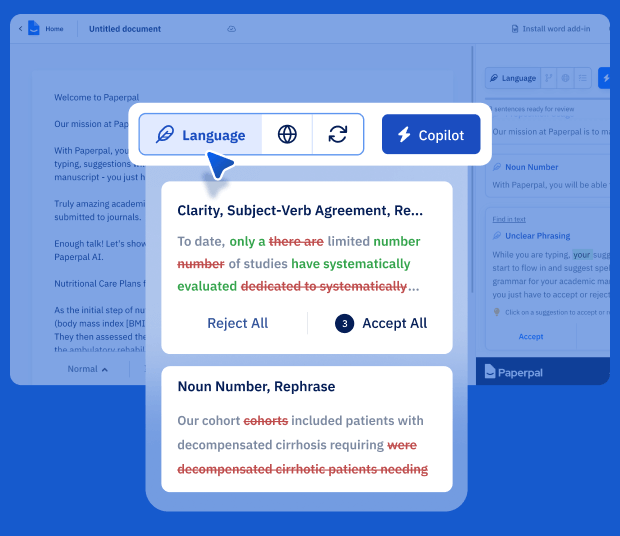
Paperpal works best when a draft already exists. It focuses on academic grammar, clarity, tone, consistency, paraphrasing, and submission readiness. Research tools, PDF chat, plagiarism checks, and manuscript checks round out the workflow.
The free allowance is enough to test a section, with capped language suggestions and a small number of daily AI actions. A thesis or journal manuscript will benefit from the higher limits in a paid plan.
Paperpal can improve the language and flag technical issues, but it cannot verify methods, claims, or references for you.
5. Gamma — Best for Turning Ideas Into Presentations Fast
Gamma is the clearest choice when the final deliverable is a deck. Give it a topic, notes, or an existing document, and it builds a presentation with layouts, images, and concise slide copy. Exports include PowerPoint, PDF, Google Slides, and images.
Gamma starts free accounts with 400 credits that do not refill automatically. That is enough to test a few real projects. Paid plans add more generation, larger decks, custom branding, and deeper control.
Gamma gets you to a first draft quickly, but the argument still needs work. If a deck looks polished yet feels flat, a reusable presentation structure skill can help shape the story before layout begins.
6. Canva — Best for Visual Control and Branded Content
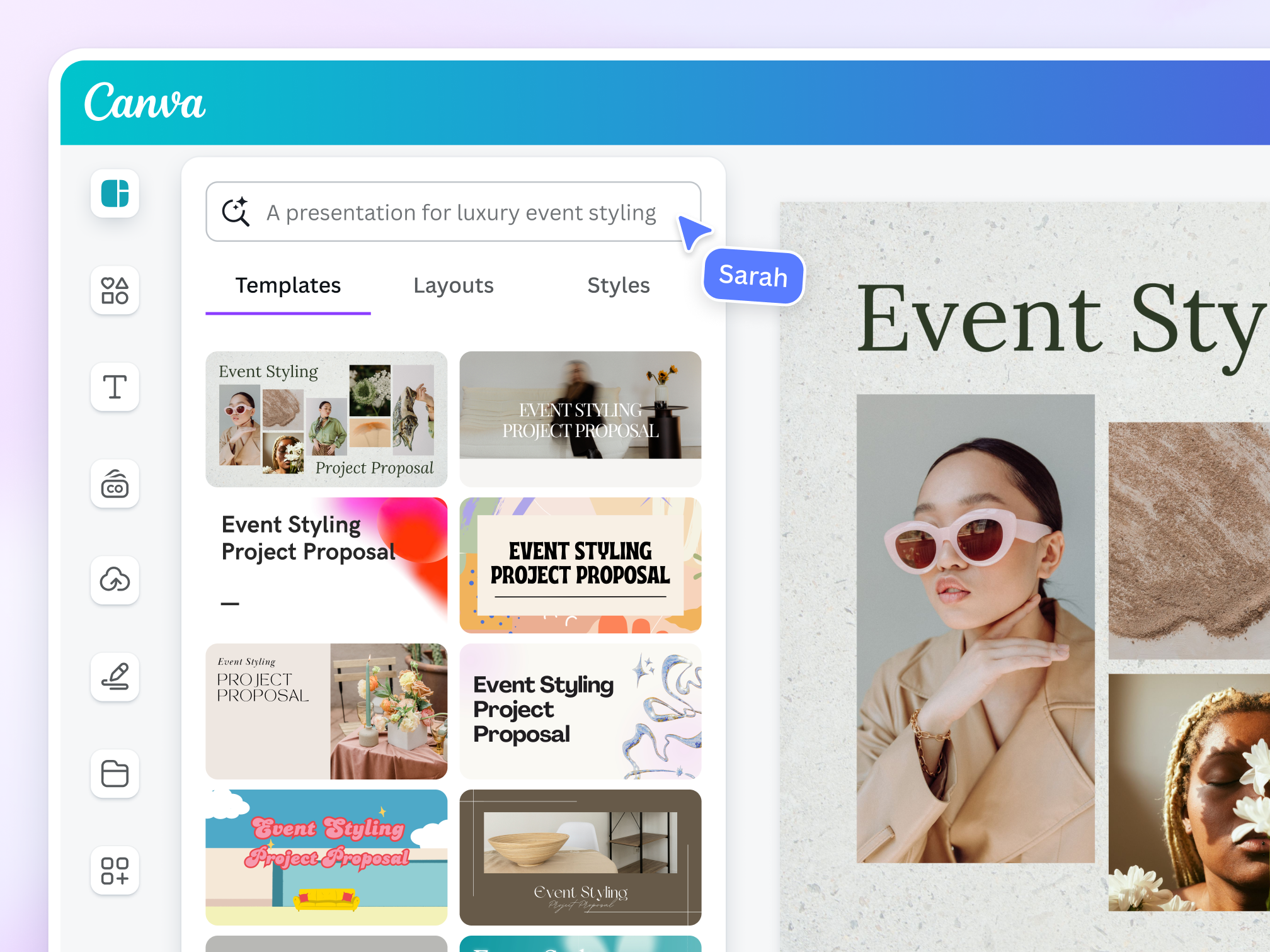
Canva is better when you want direct control over the final design. It combines presentations with reports, social graphics, video, and a large template library. One project can become a deck, infographic, social post, and downloadable handout without leaving the workspace.
Canva Free includes a broad design library, collaboration, storage, and a monthly AI allowance. Paid tiers add premium assets, stronger brand controls, resizing, background removal, and higher AI limits.
Canva can arrange information attractively, but it is not a literature tool and cannot validate citations.
7. QuillBot — Best for Paraphrasing and Rewriting
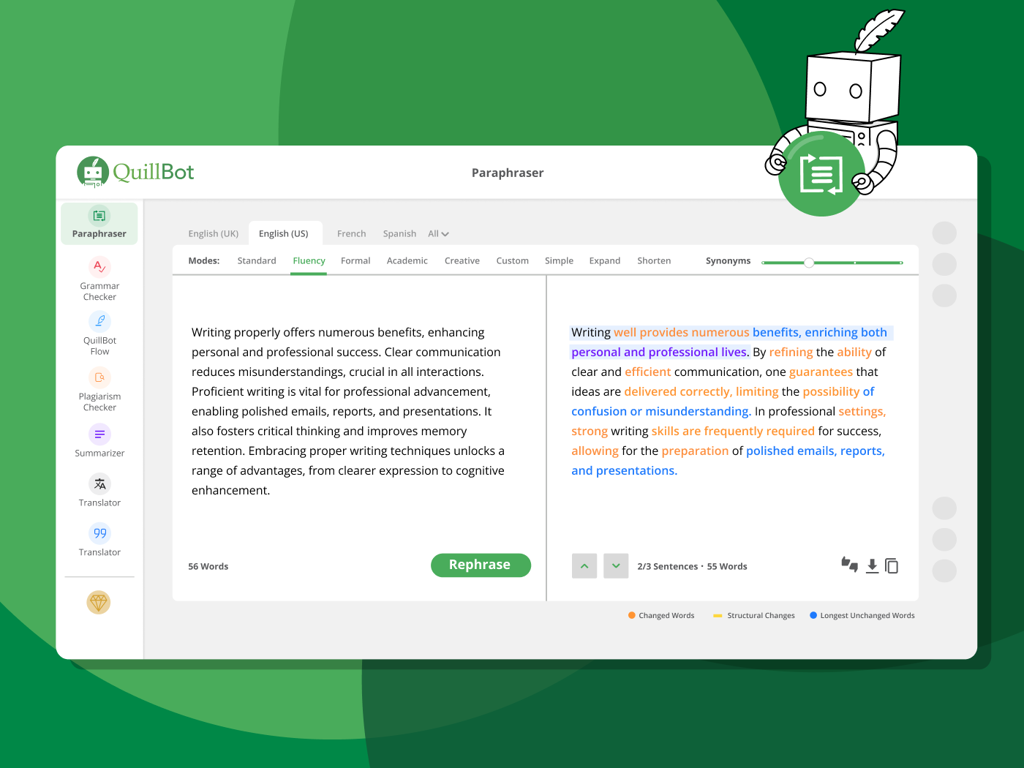
QuillBot is built for text you already have. Its paraphraser offers different modes, while grammar, summarization, citation, and writing tools help tighten sentences or condense source material.
The free version works for short passages but limits text length and paraphrasing modes. Premium is more practical for long documents. In either plan, paraphrasing should improve clarity rather than hide copied work; a rewritten sentence can preserve the same unsupported claim.
For cleanup beyond synonym replacement, a humanize AI text skill can flag mechanical patterns, vague wording, and repetitive transitions. The final pass should still sound like you.
8. ChatGPT — Best Flexible Free Starting Point
ChatGPT is a practical first stop when the exact need is still unclear. It can brainstorm, outline, analyze files, rewrite sections, prepare slide copy, and repurpose one format into another. Free access covers occasional work, while paid plans increase model and tool availability.
Flexibility comes with responsibility. ChatGPT does not automatically enforce an academic workflow or verify every reference. You must supply the source material and review standard.
An OpenClaw vs ChatGPT comparison shows the operational difference: chat is ideal for an active session, while an agent runtime keeps tools, context, and scheduled work available after the session ends.
9. Claude — Best for Long Documents and Collaborative Revision
Claude handles long reports, source packs, detailed instructions, and substantial drafts particularly well. It can compare documents, find gaps in an argument, preserve a chosen tone, and revise section by section.
You can begin on Claude's free plan, but long attachments and extended conversations consume the allowance quickly. A thesis or large report may require a paid plan or shorter working sessions.
Claude is not a citation database or presentation designer. Give it verified sources, then use it for synthesis, structure, critique, and revision.
Which Oreate AI Alternative Should You Choose?
For Essays, Citations, and Academic Editing
Choose Jenni AI for guided writing, SciSpace for discovering and understanding papers, and Paperpal for polishing an existing draft. Open every citation yourself: a perfectly formatted reference can still be irrelevant or attached to a claim it does not support.
For Presentations and Visual Deliverables
Choose Gamma for speed. Choose Canva for manual design control, branded assets, and several visual formats from the same content.
For Rewriting and General AI Help
Choose QuillBot for focused paraphrasing, ChatGPT for flexible everyday tasks, and Claude for long documents that need careful analysis and revision.
For Work That Needs to Run Again
Choose MyClaw when the job includes recurring research, monitoring, files, drafting, and delivery. It requires more setup than a one-click writer, but that setup becomes valuable when the same process must work next week without being rebuilt.
Conclusion
The best Oreate AI alternatives solve different parts of the content process. Jenni AI, SciSpace, and Paperpal suit academic work; Gamma and Canva handle presentations; QuillBot, ChatGPT, and Claude offer flexible assistance. MyClaw is stronger when research and content need to become an ongoing workflow.
Start with the next real deliverable. The right tool is the one that gets it finished without creating a new bottleneck.
Skip the Setup, Run Best-in-Class AI Agents Now
Launch a managed OpenClaw or Hermes Agent workspace in minutes, with always-on hosting, updates, and support handled by MyClaw.